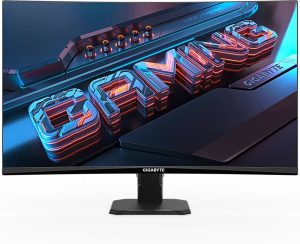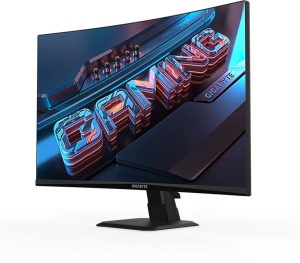



GIGABYTE OLED Monitor 27″ MO27Q28G 2560×1440, 2xHDMI/Displayport/4xUSB
249 990 Ft
| Modellszám |
MO27Q28G |
|---|---|
| Brand |
Gigabyte |
| Készlet |
Elérhető |
| Súly |
8.3 kg |
| Info code |
CH |
| Garancia |
36 hónap |
-
Panel Size (diagonal)
27" WOLED
-
Display Viewing Area (HxV)
586.75 x 330.05 mm
-
Panel Backlight/ Type
WOLED
-
Display Surface(non-glare/ glare)
Anti-Reflection
-
Color Saturation
99.5% DCI-P3, 84% BT2020
-
True Resolution
2560 x 1440 (QHD)
-
Pixel Pitch
0.2292(H) x 0.2292(V) mm
-
Brightness
335 cd/m2 (Typ, SDR APL 100%); 1500 cd/m2 (Typ, HDR APL 1.5%)
-
Contrast Ratio
1.5M:1
-
Viewing Angle
178°(H)/178°(V)
-
Display Colors
10bit (1.07B)
-
Response Time
0.03ms GTG
-
Refresh Rate
280Hz
-
HDR
VESA DisplayHDR True Black 500
-
Flicker-free
Yes
-
Factory Calibration
Yes, ?E< 2
-
Connectivity
2 x HDMI 2.1
1 x Displayport 1.4
1 x USB Type-C (Alternate Mode; Upstream port; Power Delivery up to 18W)
2 x USB 3.2 Downstream ports
1 x USB 3.2 Upstream port
1 x Earphone Jack -
Speaker
5W x 2
-
Power Type
Adapter
-
Power Consumption
35W**
-
Power Saving Mode
<0.5W
-
Power Off Mode
<0.3W
-
Voltage
AC 100-240V ~ 50/60Hz
-
Tilt(angle)
-5°~+21°
-
Swivel(angle)
±15°
-
Pivot(angle/direction)
0°~+90° (clockwise)
-
Height Adjustment (mm)
130 mm
-
VESA Wall Mounting(mm)
100*100 mm
-
Kensington lock
Yes
-
Phys. Dimension with Stand(WxHxD)
604.4*526.5*187.5 mm
-
Phys. Dimension w/o stand (WxHxD)
604.4*350.2*54.4 mm
-
Box Dimension (WxHxD)
795*131*475 mm
-
Net Weight with stand (Esti.)
6 kg
-
Net Weight without stand (Esti.)
4.05 kg
-
Gross Weight (Esti.)
8.75 kg
-
Accessories
Power cable/HDMI 2.1 cable/DP cable/USB cable/QSG/Warranty card//Color calibration test report
-
Warranty
3 years (including panel burn-in)
-
Note
*To enable OSD Sidekick, it requires connection between PC and monitor with USB (A-Male to B-Male) cable.
**The test condition follows CEC standards.
Kapcsolódó termékek

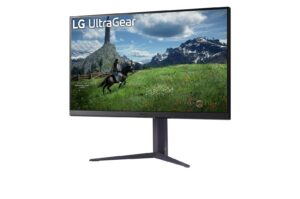
LG Monitor 32″ Gamer – 32GS85Q-B (IPS, 16:9; 2560×1440; 180Hz; 1ms; 350cd; HDMIx2; DP; FreeSync; G-SYNC; HDR10; Pivot)
Original price was: 177 300 Ft.164 240 FtCurrent price is: 164 240 Ft.